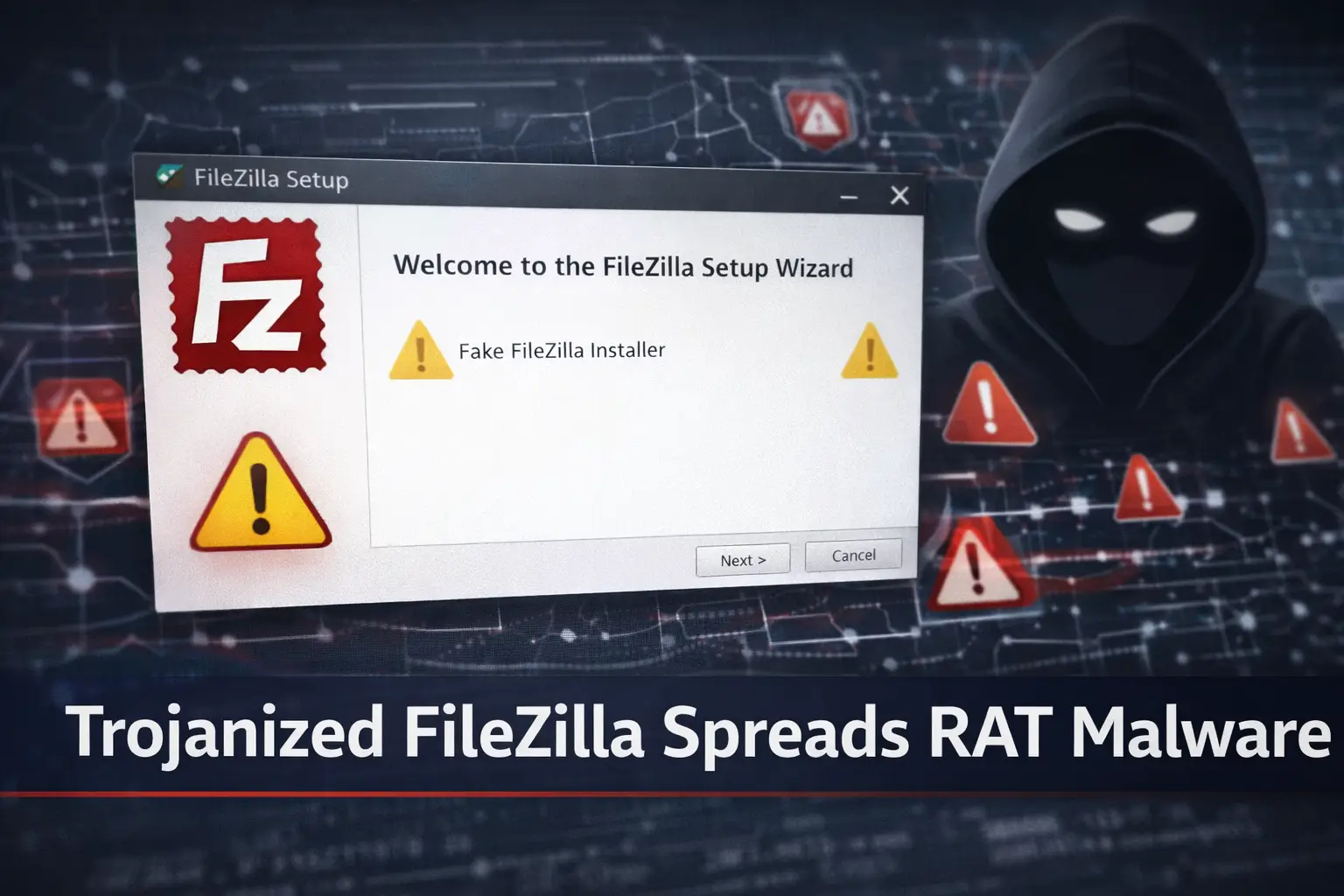
Cybersecurity experts have recently uncovered a malicious campaign that the targeting users through trojanized versions of FileZilla, a widely trusted FTP client.Instead of installing the legitimate software, victims inadvertently download a version that silently deploys Remote Access Trojans (RATs) their systems.These trojans grant the full access and the attackers full control over infected devices and enable them and steal sensitive information, deploy additional malware or monitor user activity without consent.
This threat is particularly concerns because it uses a multi-stage malware loader which makes detection by traditional antivirus solutions more difficult.Users who download the software from unofficial sources or click on phishing links promising updated versions of FileZilla, are at the highest risk.
1. How the Trojanized FileZilla Campaign Operates
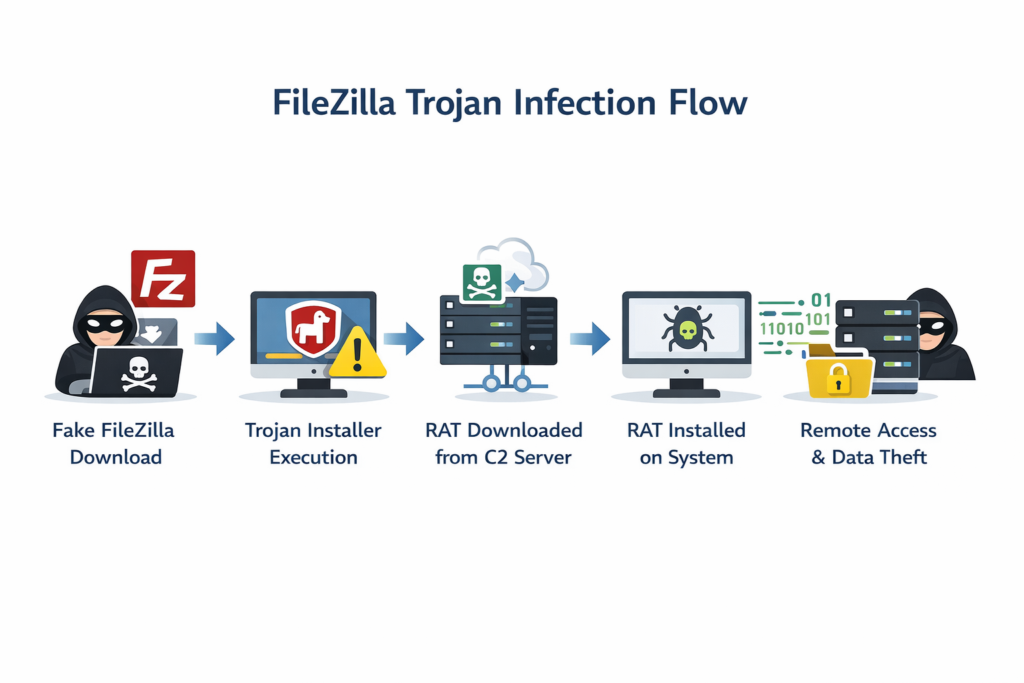
The attack uses the fake download sites and do the social engineering to confuse users.Usually there are three stages in the infection chain.These 3 three stage are very dangeorus
Stage 1 Downloader Execution:
When a victim runs the trojanized FileZilla installer and then it executes silently in the background without any visible indication that the system has been compromised.
Stage 2 RAT Deployment:
The downloader connects to a command-and-control (C2) server to fetch the RAT payload.This stage is responsible for the actual malware installation on the system.
Stage 3 Persistence & Evasion:
The RAT sets up the persistence to survive the system reboots and uses techniques to avoide the antivirus detection.Some RATs can even disable security software or hide their network traffic.
Early prevention is crucial because these staged approach guarantees that the malware is difficult to identify and remove.
2. Features and Capabilities of RAT Malware
Remote Access Trojans (RATs) are extremely dangerous and adaptable types of malware that give the attackers covert, unapproved control over a compromised system.Once installed RAT can carry out the variety of evil tasks, including exfiltrating private files straight to an attackers server and keylogging to record private messages and sensitive passwords.These tools frequently enable the execution of remote commands or scripts, collect credentials from multiple platforms, as well as more disruptive situations, take screenshots or take over the user’s webcam.
Victims may not be aware of the breach because they are made to operate silently but they can frequently be detected by little indications like slow performance, strange pop-ups, or unexplained increases in network usage.
3. How Users Are Targeted
Cybercriminals spread malware by taking advantage of users’ trust in trustworthy software.Making fake websites and mirrors that closely resemble FileZilla’s official download page is one popular technique that makes it challenging for users to figure out between the malicious and legitimate installers.
Additionally, by asking as an update or a better version of FileZilla, attackers frequently use phishing emails and social media posts to trick users into downloading the trojanized software.To increase the probability of infection and another strategy to package the trojanized installer with other programs or pass it off as an optional plugin.The most important lesson for users is to always download FileZilla straight from the official website and make sure the program is authentic by checking the file hash before installing it.
4. Detection and Removal Strategies
These programs are made to function covertly and identifying the Remote Access Trojan (RAT) can be difficult.However there are the preventative steps that can reduce the risk of infection.
To make sure the downloaded file is authentic and the users should first compare the installer file hash with the official FileZilla hash listed on the website.It is also possible to detect the RAT signatures and stop installation with updated the antivirus and endpoint detection software.if you cannot identify the signatures go the virus total website and upload the .exe file or hashes and then check is it malicius or not.Another crucial step is keep an eye on network activity because unexpected outgoing connections could mean that a RAT interacts with its command-and-control server.
Incase the booting the system into safe mode can enable the manual removal of questionable files and registry entries when an infection is suspected.Seeking advice from cybersecurity experts is advised for serious infections to prevent the partial removal.Disconnecting a compromised device from the internet right away is essential to stop additional data leaks.
5. Prevention and Best Practices
Bringing together user awareness with safe computing practices is the best defense against trojanized software.To prevent the malicious copies users should always download FileZilla straight from its official website.To guarantee file integrity it is crucial to compare the installer checksum with the official hash before the installation.An additional line of defense is provided by maintaining security software, such as endpoint detection tools and real-time antivirus protection.
Keep the offline copies of important data guarantees recovery in the event of an infections.Furthermore educating the users about phishing scams, fake downloads and the other social engineering techniques greatly lowers their risk of becoming victims of these dangers.By following these steps users can protect themselves from trojanized applications and Remote Access Trojan malware.